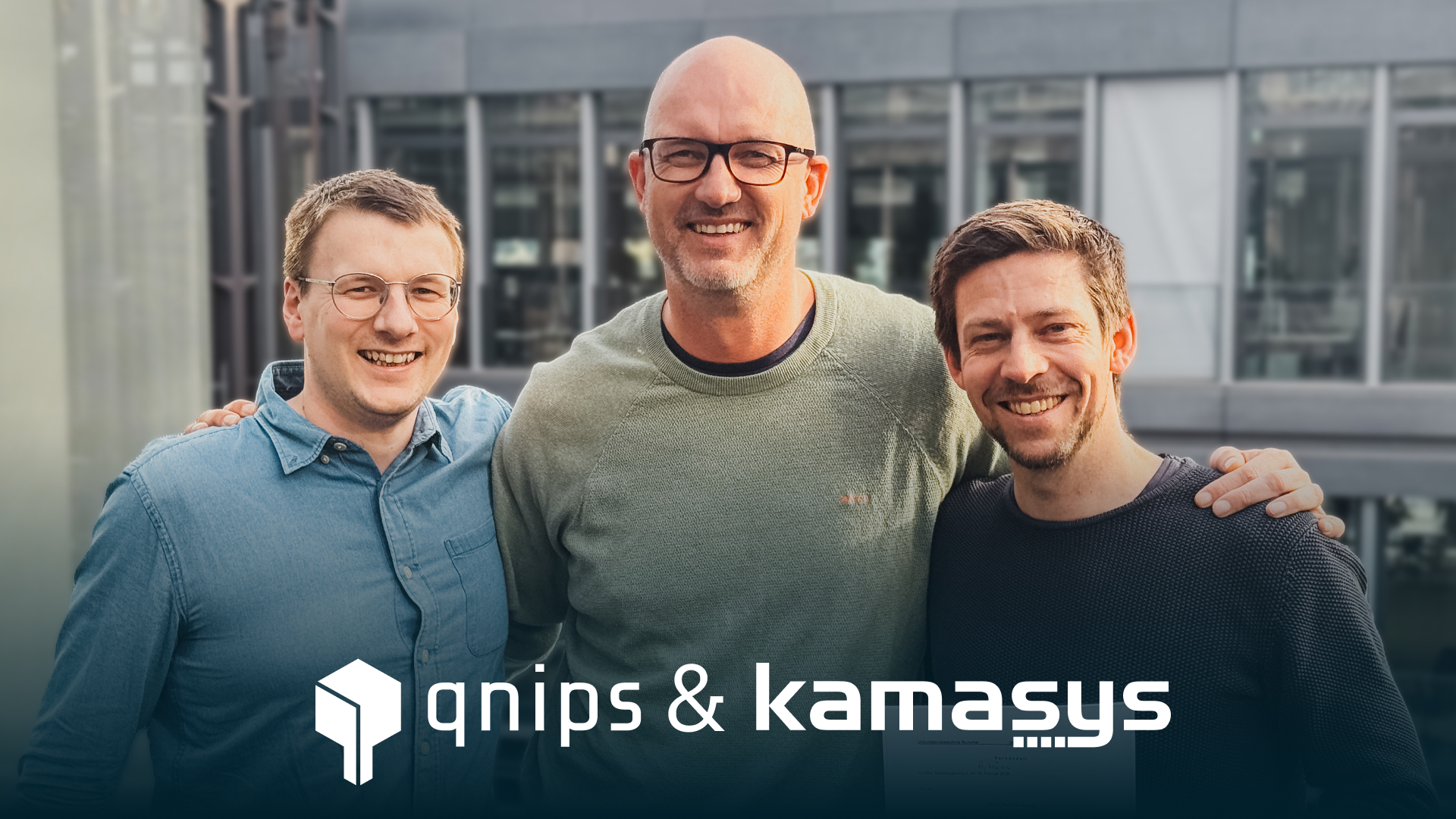
The two digitalisation specialists kamasys and qnips are joining forces. This strategic merger will create a new company that will support catering businesses along their entire value chain with a single digital platform. Our new company is operating on the market under the name menio GmbH.
Holistic platform meets system expertise
Data is increasingly becoming a decisive competitive factor in contract catering. In order to efficiently manage guest services and operational processes, a consistent database across all digital touchpoints is required. For technology partners such as kamasys and qnips, this means providing customers with comprehensive support across each of these touchpoints.
With this merger, the two companies are positioning themselves as a central solution provider for this task by combining two complementary areas of expertise. While qnips has developed a modern platform architecture for digital guest services, kamasys has extensive experience in the integration and operation of complex system landscapes in catering companies. Together, they are creating a platform on which front-of-house data is centrally collected and can be used across the board.
The three managing directors of both companies are redistributing tasks and organising the merger:
“kamasys and qnips have been on equal footing in the market for many years. During our discussions, it quickly became clear that we have a very similar vision of how the digital infrastructure of communal catering will develop. The merger is therefore a logical step: together, we are a team of over 70 employees and can implement this vision for our customers much more quickly and effectively. We look forward to our future together,” explains Christian Brützel.
“The market increasingly demands integrated solutions instead of isolated systems,’ adds Marcel Konrad. ‘With the merger, we are creating the organisational and technological basis to provide our customers with comprehensive support – from project planning, installation and commissioning to support and field service for our own solutions or products from our partner network.”
He makes it clear that technology partnerships remain a central component of the corporate strategy. The platform has been deliberately designed to be open and enables the integration of external systems and specialised solutions via standardised interfaces.
Artificial intelligence is a key competitive factor and lever for efficiency and cost-effectiveness in commercial catering. However, forecasts, sales management and optimised production planning require a consistent and reliable data basis. In many companies, relevant information is scattered across different systems – and therefore only manageable to a limited extent.
“With the merger, we are closing the circle in the front of house,’ emphasisesAndrévonHören. “By integrating our own checkout and POS solution to complement orders via app or web, self-order kiosks and connections to vending machines or autonomous stores, we are bringing all transaction-relevant touchpoints together on a common platform. The data is stored centrally in a consistent model and made available. The addition of profile and user data, menu and master data, and contextual information such as calendar data, building utilisation or weather creates the conditions for the profitable use of AI models,” explains von Hören.
A signal to the industry
With the merger, the new company is positioning itself as a technology-driven infrastructure partner for communal catering – with the clear aim of creating the conditions for data-based, automated and AI-supported operating models. The merger is therefore not only an organisational decision, but also a clear strategic signal to the industry:
The future of contract catering is platform-based, integrated – and data-driven.
Community and contract catering is facing a transformation: guests expect fast and smoothprocesses, while operators must ensure efficiency, transparency and simple processes. The Checkout in particular is becoming increasingly important. At INTERGASTRA2026 in Stuttgart, qnips and avus will show how self-checkout in company catering is being reimagined – faster, smarter and fully integrated.
The focus is on a seamless, queue–freecheckoutexperience that combines RFIDtechnology with digitalcredit. Checkout is not seen as an isolatedsolution, but as part of an integratedsystem: linked to usergroups, pricelevels and budgets – directly within the qnips catering platform. Visitors will experience live how technologycreatesrealaddedvalue when it is consistently thought through.
Seamless self- checkout during your lunch break
Imagine you arrive at the canteen during your lunch break. To identifyyourself, you scan the QRcode on your tray, which automatically identifies you with your user profile in the app. Since eachplate is also equipped with an RFIDchip, your selected meal is automatically assigned, so the system knows exactly which dishes are on your tablet. Your tray is then automaticallyrecognised by RFID at the self–checkout. The paymentprocess runs in the background: your qnipsapp correctly assigns and debits the payment and digitalcredit, while avus enables fast, smooth checkout technology. This smooth process means there are no queues – your lunch break remains relaxed and predictable.
Experience the new self-checkout live:
INTERGASTRA 2026 | Messe Stuttgart
7–11 February 2026
Stand: 4D24
Focus: Future of self-checkout · Digital wallet · RFID · Seamless system integration
About qnips
qnips takes over the central billing and control level in the integration with avus. Digital credit balances, user groups and price levels are linked directly to the RFID-based self-checkout and integrated into existing catering processes. The checkout thus becomes part of an integrated system rather than an isolated individual solution.
In addition, qnips is a cloud-based digital catering platform for purchasing, payment and communication processes in communal and corporate catering. Among other things, it enables pre-orders, digital menu communication, marketing and loyalty programmes, and can be integrated into existing systems via interfaces. At Intergastra 2026, qnips will demonstrate how modern self-checkout solutions can be seamlessly integrated into this platform.
About avus Gastro GmbH
avus Gastro GmbH develops digital solutions for company catering with a focus on efficiency, automation and user-friendliness. With its pay easy technology and RFID-based recognition, avus creates the technological basis for modern self-checkout without waiting times. In combination with qnips, this results in a system that speeds up payment processes while offering maximum transparency for operators. This collaboration will be presented live for the first time at Intergastra.
Digital expectations don’t end at the canteen door
Digitalservices have long been an integralpart of everyday workinglife. But when it came to lunch breaks, the reality in many workplace restaurants was very different: employeeIDcards, cash, manualprocesses and littletransparency for users.
Sodexo recognized this disconnect early on. RitaIlligen, DigitalDirectorGermany at Sodexo, sums it up:
“We want to make the company restaurant an integral part of a modern, digital workplace.”
The goal was therefore to create a user-centered, efficient and always-available payment experience – flexible enough to be adapted to a wide variety of locations and needs.
The solution: digital payment
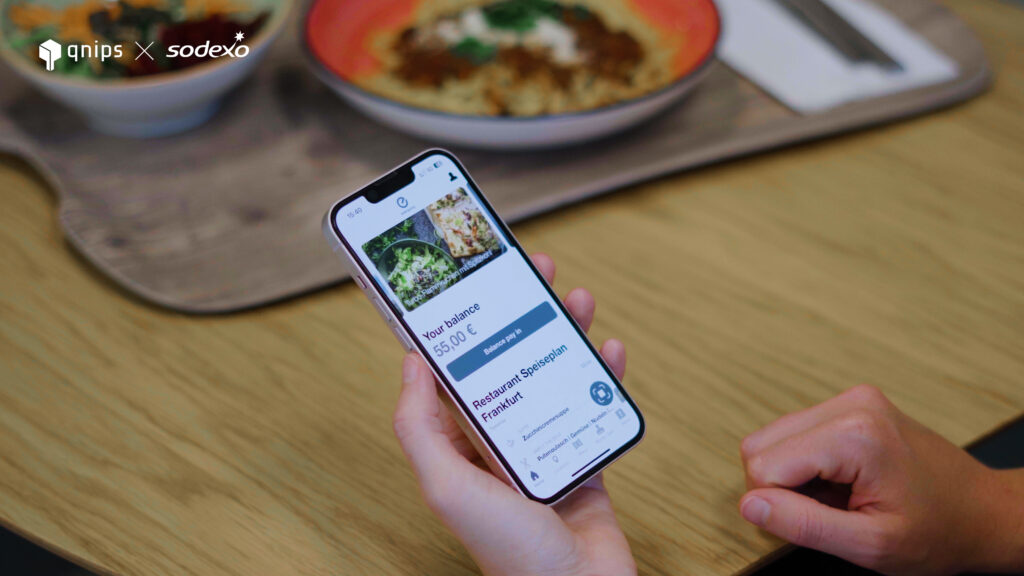
With EverydayPay, Sodexo worked with qnips to develop a central digital payment module that is seamlessly integrated into the Everydayapp. This not only digitises the payment process, but also simplifies it significantly. In addition to paymentsolutions, the app offers menudisplays, allergeninformation, customerfeedback, and content and newsfeeds.
The focus is on the integrated payment solution in the app, which allows employees to:
Topup or refundcredit at anytime in the app or at the checkout
Open the QRcode in the app, which is then scannedat the checkout and the credit is automaticallydeducted
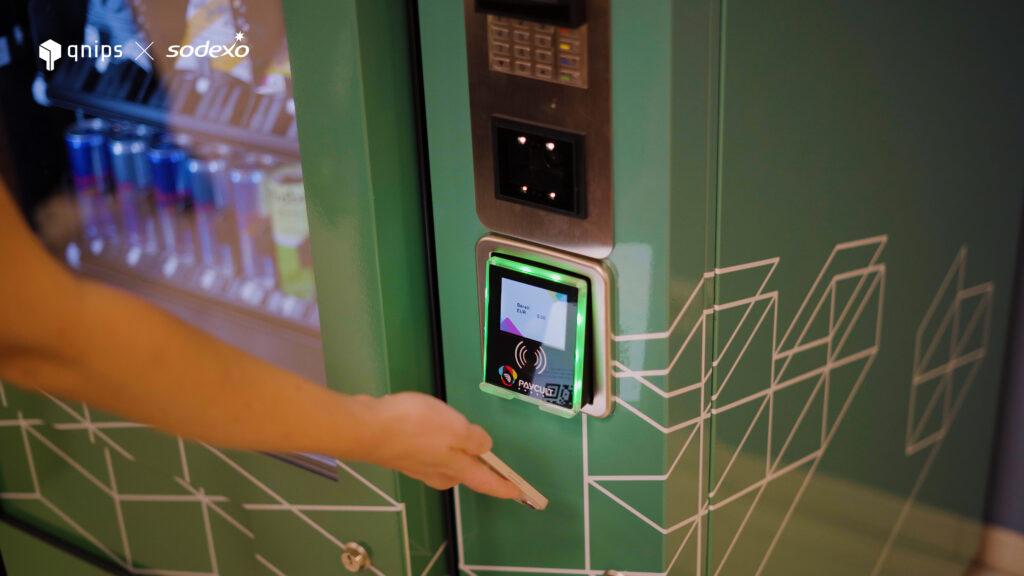
Pay in the app, at the checkoutor at the vendingmachine
Use modernpaymentmethods such as creditcard, ApplePay and GooglePay
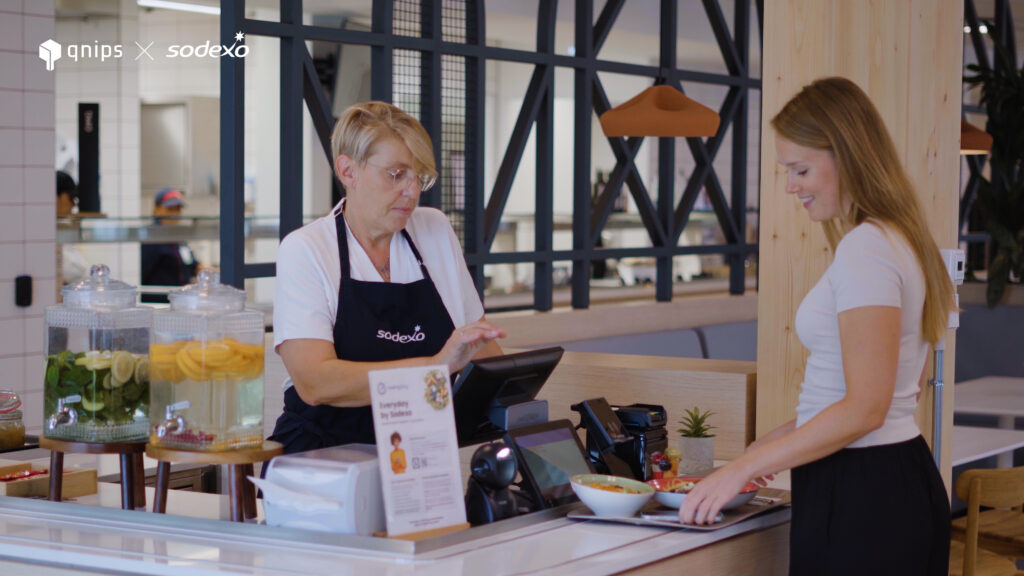
Enjoy a smoothpaymentprocessat the checkout thanks to contactlesspayment
Viewtransactionsin the app at anytime
The focus was never on technology for its own sake. Rather, it is about creating real added value in everyday life.
Rita Illigen describes this approach as follows:
“Technology is not an end in itself. It should really make everyday life easier for users.”
Implementation & rollout: step by step towards scaling
The introduction of EverydayPay was deliberatelyphased. Initially, the solution was piloted in selected companyrestaurants. Userfeedbackplayed a centralrole and was continuously incorporated into the optimization of the application.
This testphase was followed by a rollout to otherlocations – with a clearfocus on scalability, stability and easyintegration. To accompany this, Sodexo relied on:
Targeted on-site training
Clear communication measures for employees
Technical standardisation for smooth operation
The modularity of the solution proved to be a decisive factor for success.
“Not every location is the same – our digital modules adapt to the requirements of the location, workforce and culture. Our task is to offer modular, scalable and, above all, well-thought-out solutions – such as Everyday Pay. ” says Illigen.
The advantages of Everyday Pay for Sodexo – and for everyone involved
The introduction of Everyday Pay brings several strategicadvantages for both guests and the kitchenteam:
More efficient processes
Significantly reducingcashhandlingcutsdown on administrativeeffort. At the same time, digitalcheckoutprocessesspeeduppayments, with waitingtimes noticeably reduced.
Higher user satisfaction
An intuitive, modern paymentexperiencesignificantlyincreases the attractiveness of the company restaurant. Companies also benefit from this on the employerside: digitalservices such as Everyday Pay strengthen employerbranding.
Data-based optimisation
Digitalpayments provide valuableinsights, for example into visitorfrequencies, peaktimes and foodpreferences. This data forms the basisfor more precise planning, optimisedmenus and more efficientprocesses.
Successful digitalisation through user focus
A clear focus on the needs of employees makes digitaltransformationeffective and sustainable. Understanding how employeeswant to experiencetheirbreaks allows digitalsolutions to be selected and implemented in a targeted manner. This means that digitalisation is not an end in itself, but increasesacceptance, usage and satisfaction – creatingrealaddedvalue for bothcompanies and employees alike.
Conclusion: Everyday Pay is more than just payment
Everyday Pay not only digitises the paymentprocess – it transforms the entireexperience in the communaldining. Processes become faster and more efficient, users benefit from greater convenience and transparency, and companies establish another digital touchpoint in everyday working day.
For Sodexo, this means greater efficiency, highercustomersatisfaction and cleardifferentiation in the market.
Digitalisation is not only changing the way we communicate and shop – it is also revolutionising the catering and communal dining industries. With qnips’ NFC (Near Field Communication) e-paper, we offer a scan & go solution that combines efficiency, guest experience and sustainability.
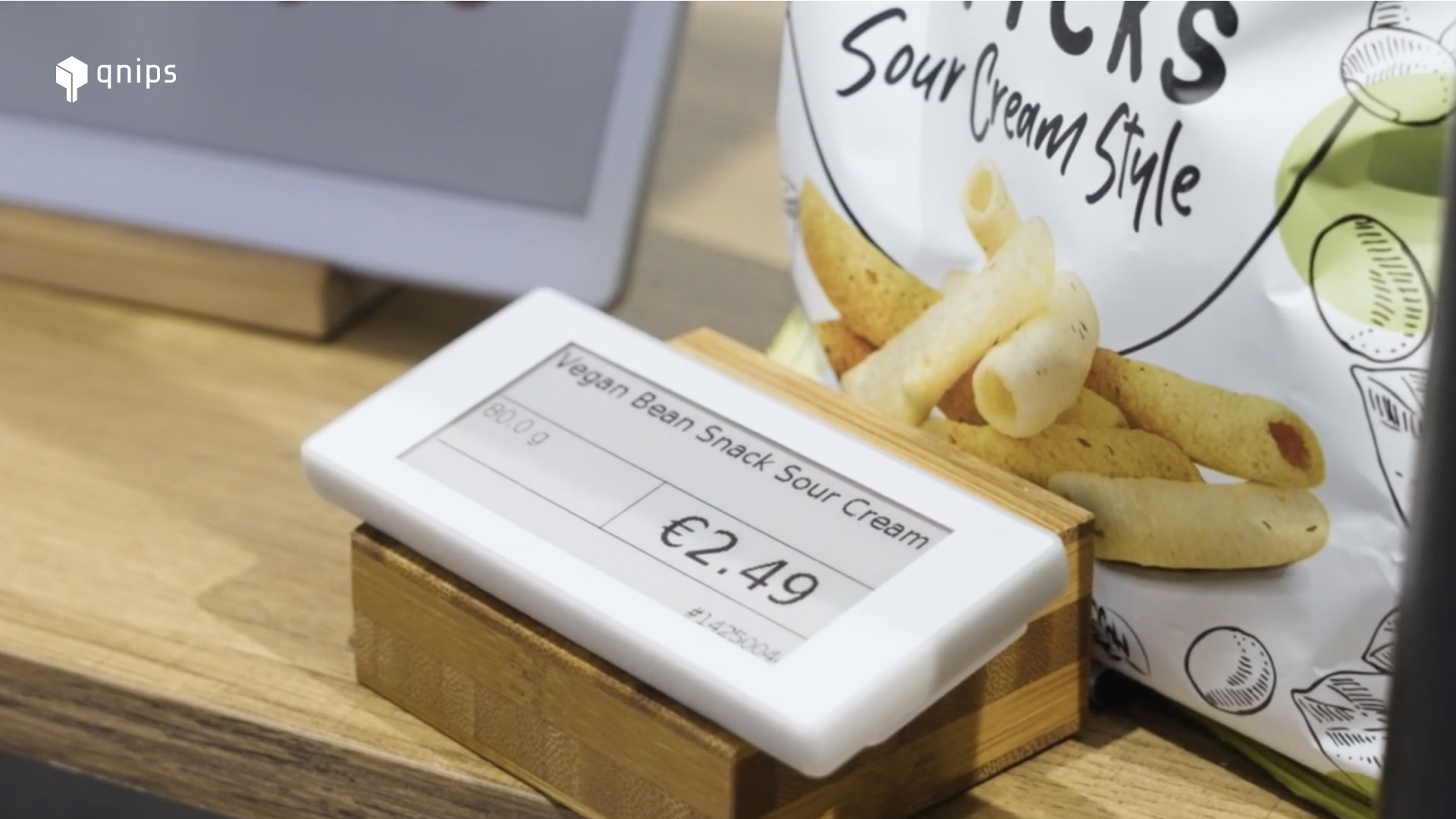
It is more than just a digital price tag. Why e-paper?
Traditional price tags have to be printed, replaced and checked manually on a regular basis. This takes time, causes errors and leads to enormous paper consumption in the long term. With e-paper displays, these problems are a thing of the past:
Availabilityofdashboarddata: Thanks to the interface with merchandise management, the relevant data is available to you in the qnips dashboard, allowing data to be displayed on the individual e-paper displays.
Digitalupdatesin seconds – all content can be customised centrally via the qnips dashboard.
Maximumflexibility – whether prices, allergens, nutritional values or daily specials: everything is displayed accurately and clearly.
Focuson sustainability – by eliminating paper and printed materials, you not only reduce waste but also protect the environment.
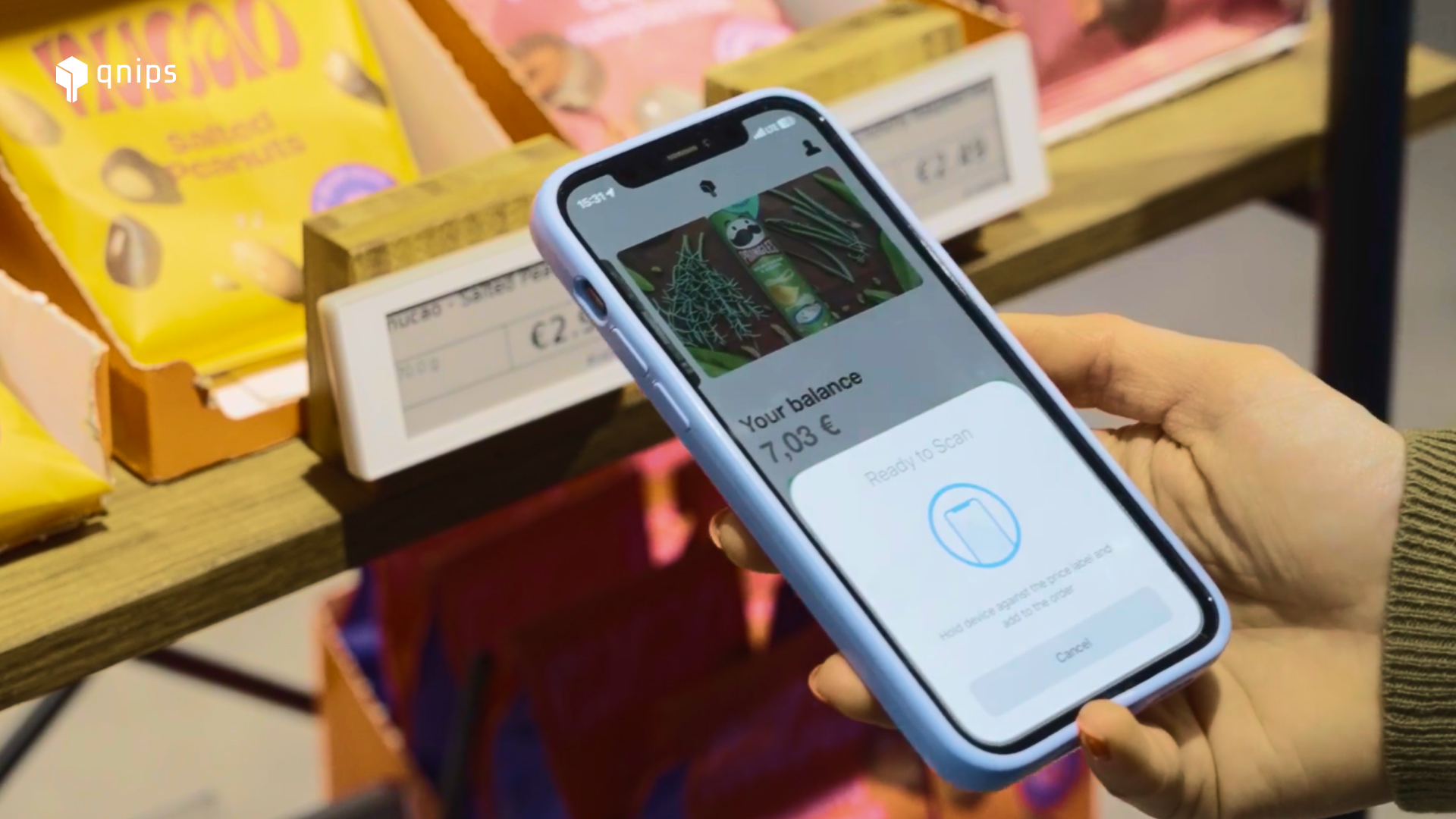
Orderingprocess: Guests scan the digital price tag, the product is automatically added to their shopping basket and can be paid for directly via their mobile device.
How it works
qnips enables easy integration of Scan& Go into your canteen processes:
Guests can tap the signs with their smartphone and the desiredproduct is automaticallyadded to the app’sshoppingbasketwithout having to be selectedmanually. You then have the option of choosing whether you want to pay by mobile using digitalcredit, a paymentserviceprovider, creditordebitcards, meaning that, in theory, a traditionalcashregister is nolongerneeded. The result: a seamless, digitalordering and paymentprocess.
Your advantages at a glance
Timesavings: No manual updates and no need to replace signs and content, because now everything is digital.
Errorprevention: Always up-to-date and accurate information thanks to centralised management.
Betterguestexperience: Interactive and intuitive operation for your customers – simply scan, pay and enjoy.
Sustainability: Less paper waste and resource consumption.
Modernappearance: Digital price tags create an innovative look and a digital dining experience.
Couponredemption: Coupons and loyalty points can also be redeemed during the Scan & Go purchase process.
Mobilepaymentexperience: Payments are easily processed on mobile devices, eliminating the need for a traditional cash register.
A step into the future
With NFC e-paper, you can rely on digitalprecisionandefficiency while creating a modern, sustainablediningexperience. Whether in company catering, canteens or catering services: E-paper displays are the ideal solutionforoptimisingprocesses and delighting your guests.
Best practice from company catering
A leadingcaterer from the Netherlands shows how digitalprice tags bring real benefits in practice: Price and menu changes are automaticallyimported, guests conveniently scan the displays with their smartphones and pay on the go – without the need for a traditional cash register. This saves time in daily operations, reducespaperconsumption and makesprocesses significantly moreefficient.
Whether in restaurants or corporate catering, guests today want one thing above all else: simple and, above all, convenient processes. Digitalorderingoptions at the table meet guests’ wishes perfectly. According to a recent study*, 75% of guests now say that digital menus and ordering optimize their diningexperience. So why not offer digital table service that meets these needs – digitally, directly at the table, and withoutanyextrawork for the staff?
Less waiting time, more transparency, and smooth order processing create tangible addedvalue – for guests, kitchens, and service staff alike. Especially in times of scarcestaffresources, digitaltableservice is more than just an extra – it is the key to modern, efficient guest hospitality.
How can you satisfy guests as well as kitchen and service staff?
Corporate catering has changed. Guests expect more flexibility and service, especially in hybrid working environments with flexiblebreaktimes and shorterstays. Kitchen and service staff, on the other hand, face the challenge of meeting growingdemands with scarce resources. The key lies in digitalsolutions that take the pressure off both sides.
Digital table service with qnips: How it works in everyday life
Whether it’s a spontaneous meal or a planned lunch break, digitaltableservice can be adapted to the guests’ individualsituations. The entire process runs via the qnips app or the order kiosk – digitally, contactlessly, and effortlessly. Guests have three different options for being served at their table:
✅ Orderdirectly atthetable via QRcode
First, take a seat and scan the QR code display at the table.
You can choose a dish from the menu, which opens in the qnips app.
The order is automatically assigned to your seat.
The food is served directly to your table.
✅ Pre–order& assignuponarrival
Do you order via the app or portal before your lunch break? Upon arrival, select your seat, scan the QR code, and your order will be assigned.
The kitchen will immediately know which table the meal should be brought to.
✅ Orderkiosk with tablenumberfunction
If you do not have access to the qnips app, you can order at the order kiosk.
The table number is either entered or scanned via QR code.
Here, too, the order is assigned automatically.
What added value does digital table service offer for everyone involved?
By using an optimized system, everyoneinvolved in company cateringbenefits equally:
For managers, this means betterplanning, moreefficientprocesses, and optimizedguestdistribution in the cafeteria—which leads to higher capacity utilization without any additional personnel costs.
Kitchen and service staff experience structured organization in the serving area, reduced error rates thanks to clear table assignments, and noticeable relief due to fewer queries.
Guests also enjoy advantages: shorterwaitingtimes, a convenient and contactlessorderingexperience, and flexible use – whether spontaneous or planned in advance.
A typical canteen visit – only smarter
It’s 12:30 p.m. in the canteen. Julia comes out of her meeting, orders her food on the go via the app, and simply scans the QRcodeat her table. No queuing, no balancing trays – she leans back, and shortly afterwards her food is broughtdirectlyto her seat. Whereas lunch breaks used to start with waiting, now they start witha relaxedclick. The kitchen works in a more structured way, the service is more targeted – and Julia really enjoys her break as a break.
Conclusion: Where convenience meets efficiency
Digital table service offers real added value for guests, kitchen and service staff, as well as for operations managers. It creates morecomfort for visitors, reduces waitingtimes, and makes the lunchbreak more relaxed—without any additional effort for the staff. At the same time, it ensures structuredprocessesinthekitchen, more efficientplanning, and reduces stress during peak times.
Especially in times of labor shortages, this is a smartsolution for creating a better guest experience with fewer resources.
The deadline for digital accessibility is fast approaching. The AccessibilityStrengtheningAct will come into force in Germany on 28June2025. But what does this mean in concrete terms for qnips as a company and for you as our customers?
In our lastblog post, we highlighted the basics of the newdirective. Today, we show how we at qnips and you as our customers can actively implement accessibility.
Accessibility starts with us: How qnips works without barriers
At qnips, we do not see accessibility as an additionalfeature, but as an integralpart of our productdevelopment. We started integrating accessibility criteria into our platforms early on. Find out whichguidelines of the new law are qnips’ responsibility here:
The four principles of digital accessibility
Perceptibility: Digital content must be perceptible to all senses – regardless of whether you can see, hear or use other senses.
Operability: All functions of a website or app must be operable – even without a mouse or in the case of motor impairments.
Understandability: The content and operation must be understandable for all user groups – even those with cognitive impairments or limited language skills.
Robustness: In the context of accessibility, this refers to the ability of content to be reliably interpreted by different user agents (e.g. browsers or assistive technologies) – even as technologies evolve.
The following points are considered to be within the scope of qnips’ responsibility:
Necessary instructions must not be operablesolely by sensorymeans (1.3.3)
Example: Instructions such as ‘Click on the red button’ are problematic because they refer only to colour. Accessible would be: ‘Click on the red button labelled “Continue”.’
The meaning and requirement of each input field can be determined by assistivesoftware using program code (1.3.5)
Videoslongerthan3seconds must be pausable and the volume must be adjustable independently of the system’s own volume (1.4.2)
The size of the text can be enlarged up to 200% if necessary without restricting functionality (1.4.4)
Text fits into the display in such a way that scrolling is only necessary in onedirection (1.4.10).
Text or letters must not be restricted in terms of content or function if certain text parameters, such as line spacing, are changed by programcode (1.4.12).
Example: A user changes the line and paragraph spacing in their browser to make content easier to read. The qnips page adapts without any problems: texts remain fully visible, and functions such as ‘Order’ or ‘Remember dish’ continue to work. Content does not overlap and nothing is cut off – thus qnips meets the requirements for flexible, accessible text display.
Mouse-over content remains visible as long as the mousepointerhovers over it and can be closedmanually (1.4.13)
The following guidelines apply to operability:
All functions of a website or app must be fully operable with the keyboard – even without a mouse or touch gestures (2.1.1)
If the keyboardfocus can be moved to a specific location using the keyboard, it must also be possibletomove the focus back in the sameway (2.1.2)
Software-specific commands via keyboardshortcuts must be deactivatable or customisable (2.1.4)
Timelimits, such as countdowns, must be preceded by warnings and offer the option of extension, unlessthesetimelimits are linked to unchangeable or externally determined events (2.2.1)
Automatically moving, flashing and scrollingelementsmustbepausable or switchable off (2.2.2)
Repetitivecontent must be skippable (2.4.1)
Websites have a title that describes the topic and/or content (2.4.2)
Elements of the website should be accessible in the sameorder as they are arranged visually and in terms of content on the page (2.4.3)
The text of a link must clearly describe the purpose of the link (2.4.4)
Subpages of a website must be accessibleindependently of the homepage (2.4.5)
Example: In the qnips catering portal, you can access any subpage – for example, the menu, the order overview or the allergy information – directly without first going to the home page. This is particularly helpful for people who use reading aids or voice control, because they can jump directly to where they want to go.
When navigating a website with the keyboard, it must alwaysbe clearly recognisable whichelement is currently active – for example, by means of a visibleborder. People using screenreaders must also be able to hear the focus. Actions should also be possible via keyboard or voice – i.e. without a mouse (2.4.7)
The user should receive information about the currentstatus of the website (e.g. whether they are on the home page or a subpage) (2.4.8).
All functions that normally require multiplefingers or a specificmovement should also be usable with a singlefinger and withoutcomplicatedgestures – unless this specific gesture is absolutely necessary (2.5.1).
A ‘Delete’ button should not respondimmediatelywhenclicked, but only when released – this allows the user to cancel if they have made a mistake (2.5.2)
The text content of a singletext or even a text in images must also be stored in the programmecode (2.5.3)
If the operation requiresmoving the device (e.g. shaking or tilting), there should also be anotherwaytooperate it via buttons or menus – unless the movement is necessary or specifically intended for accessibility (2.5.4).
qnips handles the following points of comprehensibility:
The programmecodeindicates the language in which the content is written – for example, whether it is German, English or another language (3.1.1).
If the languagechanges within a text – for example, from German to English – the softwareshouldbeable to recognise this so that screenreaders, for example, can read it correctly. Exceptions are proper names, technical terms or special jargon (3.1.2)
If you use the keyboard or mouse to focus on a drop–downmenu, for example, it must be easy to exit using the ‘Escape’ key, for example, allowing the user to move the focus to the nextelement. This prevents the keyboard focus from getting stuck in such elements (3.2.1).
If elementschange as a result of userinput, the user must be informed in advance about what is changing and to what extent (3.2.2).
It is important that the menunavigation always looks the same on everypage and is always in the sameplace. This makes it easierforallvisitors to find their wayaround (3.2.3).
Example: Imagine you are visually impaired and you visit a website and find the menu at the top right. You click through various pages – but suddenly the menu has disappeared or is in a different place. You have to search again and lose your bearings. To prevent this from happening, a consistent menu navigation is crucial: if the menu looks the same on every page and always stays in the same place, you can find your way around more easily and use the website without stress.
If an element on a website has the same function (e.g. a submit button), it must alwayslookthesame and workthesame way. This helps everyone to find their way around more easily (3.2.4).
If someone fillsout a formincorrectly, the website should specify exactly where the error is and what was wrong – in clearlylegibletext (3.3.1).
Example: An employee wants to pre-order lunch via the qnips catering portal. She enters her name and the desired meal correctly in the form, but forgets to enter her email address – a mandatory field for the order confirmation. After submitting the form, she receives the following message directly below the corresponding field:
The email field is also clearly marked with a red border so that the error is immediately visible. The form automatically sets the keyboard focus on the incorrect input field. In addition, the error message is integrated in such a way that it can be read aloud by screen readers.
If users are required to enterinformation, such as their name or email address, the fields must be clearly labelled or provide brief instructions on what is expected (3.3.2).
If an error is detected and it is clear how it can be corrected, the website should assisttheuser in doing so, for example with a hint. Unless this would reveal sensitive data that could be seen by several people, e.g. on a display that can be used in public (3.3.3)
For important dataentries such as purchases or contracts, the user must be able to correcterrors and/or review their entries collectively beforesubmitting them and/or cancel data that has been sent (3.3.4)
The following guidelines fall under robustness:
In the programmecode, elements have complete start and endtags, elements are nested according to their specifications, elements do not contain duplicateattributes, and all IDs are unique, unless the specifications allow these properties (4.1.1).
Control elements must be understandableforassistivesoftware. Therefore, the program code must identify the name, role, state and changes for each element (4.1.2)
Example: To enable people with assistive programmes such as screen readers to use qnips effectively, the code specifies exactly what each button or selection field is, what it is called and whether it is currently activated. For example, when you click on the ‘Order now’ button, you hear that it is a button and whether the order has been received. This way, all users know exactly what is happening on the page.
Status messages for elements must be recognisable by assistivesoftwarewithout being actively controlled by the user (4.1.3)
The following is the responsibility of our customers:
qnips provides the technicalbasis for barrier–freeaccessibility. Ourcustomers are also independently responsible for barrier-free use. They must consider and integrate aspects of accessibility into their dailytasks/work routine.
Alt texts must be provided for images that the customermaintainsthemselves via the content description (1.1.1).
Videos must contain either subtitles or a textalternative. This means either providing a video with embedded or switchablesubtitles. If no video is necessary, offering the samecontent in text form that can be readaloud by screenreaders (1.2.1 to 1.2.5).
Videos with sound need subtitles, unless the audio is already an accessiblealternative to text (1.2.2).
Documents or audiodescriptions are available as alternatives to audio and videomedia (1.2.3).
Recorded videos offer audio descriptions (1.2.5).
Information must not be conveyed solely through colour. At least one explanatorytext is required (e.g. a traffic light system) (1.4.1).
For text and images that containtext, the contrastratio must be at least 4.5:1. A lowerratio of 3:1 is only permitted if the text is at least 18pt in size or 14pt in bold. Purely decorative images and text, as well as logos, are excluded from this rule (1.4.3).
More readable, real text should be used instead of embeddedtext in images – unless there is no other option (1.4.5)
Importantvisualelements such as statusindicators or parts of graphics must be clearly recognisable and have a colourcontrast ratio of at least 3:1 to their surroundings. Unless they are inactive, coloured by the userafterwards or must be used in this colourscheme (1.4.11).
You should also consider the following aspects of usability:
Visualeffects that flash rapidly or contain intensecolourchanges must be designed so that they do not flash more than threetimespersecond and do not contain strongcontrastingflashes. Otherwise, adjustments or alternatives are necessary to avoid the risk of photosensitive seizures (2.3.1).
Each heading must clearly state the topic of the followingsection. Each label on buttons or input fields must clearly state what happens or what is entered. This allowsallusers to find what they are looking for more quickly and use interactiveelements correctly (2.4.6).
Helpful tools that support an accessible platform
Companies that want to implement an accessiblewebsite can use varioushelpfultools: Screenreaders such as NVDA, VoiceOver or TalkBack can be used to test whether content is easily accessible for visually impaired users. Browserextensions such as axeDevTools, Lighthouse or AccessibilityInsights automatically check WCAG compliance and highlight missingalttexts, incorrect ARIAattributes or poor focusguidance. Colourcontrastcheckers (e.g. Contrast Checker from WebAIM or the Colour Contrast Analyser tool) ensure that text and graphicelements are sufficiently legible. Developers can also integrate CI integration tools such as Pa11y or axe-core into their build processes to run continuous automatic tests. For design, plugins in Figma or AdobeXD (such as ‘Able’ or ‘Stark’) offer contrast and colourblindnesssimulation as early as the design phase. Accessiblecomponentlibraries such as Material UI or Reach UI ensure that common widgets (buttons, forms, modals) are accessiblebydefault.
Our goal: digital participation for all
Accessibility is more than a legalobligation – it is an expression of respect and sustainability. It demands – and promotes – innovation, usercentricity and socialresponsibility. At qnips, we are ready to walk this path together with our customers – through consulting, technologicalsolutions and partnership–basedcooperation.
In Germany, the AccessibilityImprovementAct, which is based on the EN301549 directive ‘Accessibility requirements for information and communication technology products and services’ for product-related accessibility, will come into force on 28June2025. But to whom does this regulation explicitly apply and what does it cover? Find out here!
What exactly is EN 301 549?
EN 301 549 stands for ‘Accessibility requirements for information and communicationtechnologyproducts and services’, which will be a standard in Germany from 28 June 2025. The aim of this standard is to make digital products and services – such as websites, apps, software, hardware and digitaldocuments – accessible to people with different disabilities. The aim is to ensure that allusers, regardless of physical, sensory or cognitive limitations, can access digital content and technologies without any problems.
What topics does the new directive cover?
Accessibility is a key aspect of digital services. Websites and apps should have intuitivenavigation, e.g. sufficient contrast, full keyboardoperability and be compatible with speechoutput. Documents and PDFs must be designed to be accessible, for example by providing alternativetext for images. Hardware should also be inclusive, with tactilecontrols or voicecontrol. Audiovisual content benefits from subtitles and imagedescriptions, while compatibility with assistivetechnologies such as readingprogrammes or tactiletext lines is essential. This is the only way to ensure digital participation for all people.
Who do these guidelines apply to?
The new guideline on accessibility in general applies to
Public bodies
Private companies
Public contracting authorities
Developers and designers
Therefore the directive affects both public and privatecompanies, especially those that offer digitalcontent or services. The aim is to make the digital world accessible and usable for all people, regardless of their abilities.
What are the consequences for breaches of the Directive?
What happens if companies do not comply with them?
Public bodies:
In the event of violations, those affected can submit a complaint.
In some countries, penalties or sanctions may be imposed.
Private companies:
National authorities can impose fines for violations.
What are the advantages and disadvantages of the new requirement for companies?
Advantages of accessibility for companies:
In addition to the legal obligation, digital accessibility brings many advantages:
It creates a largertargetgroup, as people with disabilities will then also have the opportunity to use software or apps digitally. Better usability also plays an important role. It ensures clear structures and good readability for all users. Another advantage is search engineoptimisation, as accessible websites are often better optimised for search engines. Compliance with the legally prescribed rules creates legalcertainty, allowing companies to avoid warnings and fines.
Challenges for companies when implementing accessibility:
A common problem when implementing accessibility is that many developers are unaware of the requirements. In addition, they often lack the time or financialresources to make accessible adaptations. It is also common for companies to have oldersoftware or websites that are difficult to customise.
How is qnips dealing with the new regulation?
We are already working on the requirements of EN 301 549, including supportforscreenreaders, also known as screen readers. This means that for components of the userinterface that containlabels with text or images, the name contains the visually displayed text. For qnips, for example, this means that any interactionareas or buttons (and their respective status) are also labelled with text and can therefore be betterinterpreted by screenreaders. Let’s take an example: You have a checkbox in the app that you have to tick in order to perform an action. Now imagine you can’t see anything and only rely on your mobile phone to read out what you should see on the screen. Then this checkbox must contain the information where it is located, what it is for and whether the tick is already set or not.
All previously active digital applications have a graceperiod of 4-5 years for their implementation of the Accessibility Directive. All current qnips applications already fulfil the new requirements to a large extent. Digital applications that will only appear in the future must already fulfil the requirements. At qnips, the requirements are already covered by the redesign of the apps. Adjustments are still being made to our cateringportals until the deadline.
Responsibility for an accessible digital future
EN 301 549 is central to an accessibledigitalsociety. It gives people with disabilities equal access to digitalservices – and at the same time improves usability for olderpeople and many others. Compliance is mandatory for organisations in the EU and promotes an inclusive, non–discriminatoryonlineworld. We at qnips are already implementing this directive.
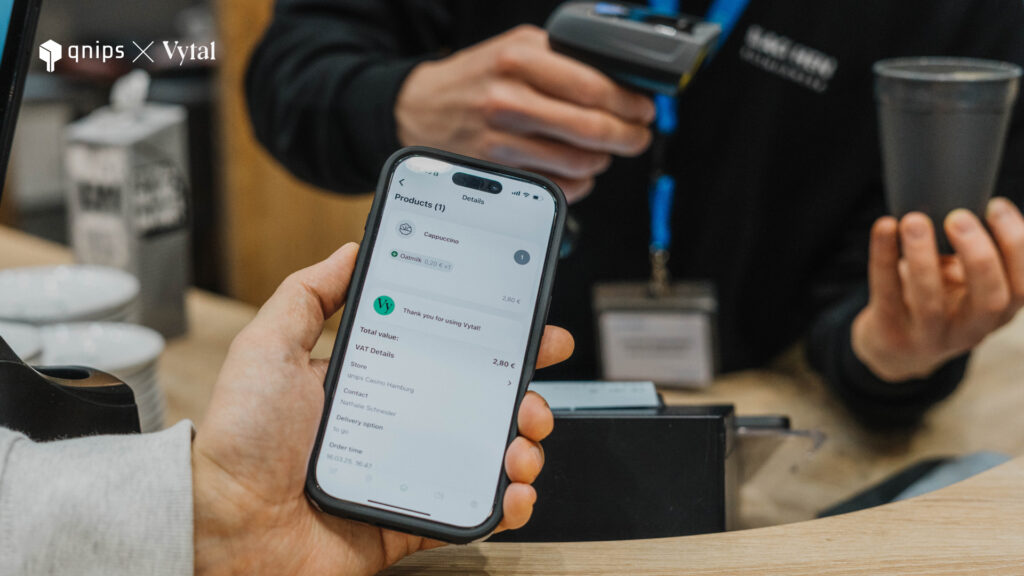
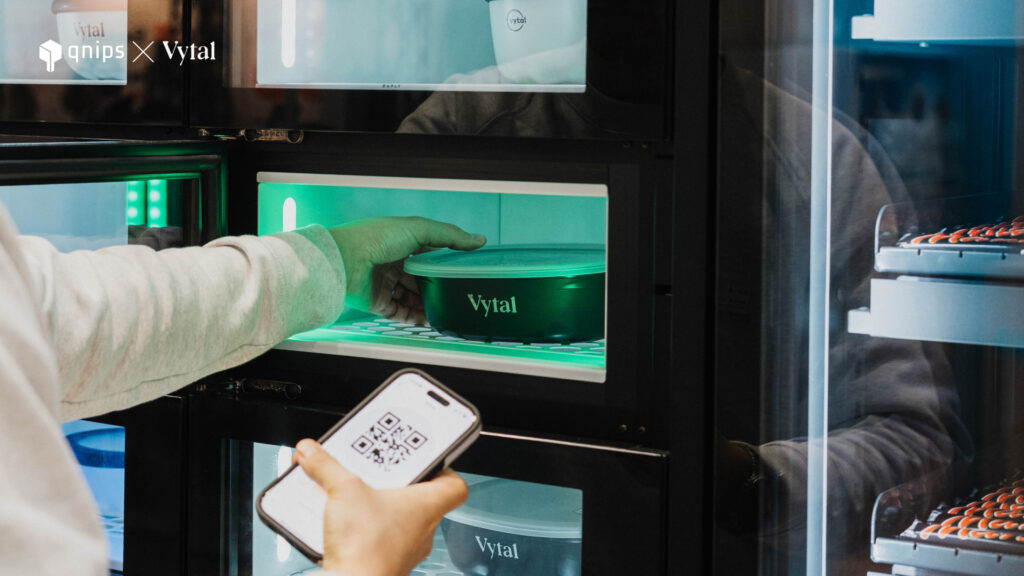
In this article, you can find out more about the new Vytalreusablesystem, which is now seamlessly integrated into the qnipsapp! This makes it even easier to avoid single-use waste – without a deposit. Order, pay and use reusable. Not only will you save a lot of disposable food in your canteen, you can also easily integrate reusable food into existingprocesses. Find out more about the benefits of this new integration here!
Sustainability meets digitalisation
The catering industry is facing major challenges: Legal requirements to reducesingle–usepackaging and the increasing demand from guests for sustainable solutions make it necessary to offer environmentally friendlyalternatives. This is exactly where the integration of Vytal and qnips comes in! Together, you can offer your guests in company catering a digitalandconvenient deposit-free reusable solution.
Why reusable systems are the future
In Germany alone, over 280.000tonnes of packagingwaste from the take-away and delivery sector ends up in the bin every year. This is not only ecologically questionable, but also economically inefficient. Many companies are faced with the challenge of offering sustainablepackaging solutions without complicating their operations. Digital reusable systems such as Vytal offer an efficientsolution that has so far saved over 19millionitems of disposablepackaging:
No more disposable packaging – lesswaste, moresustainability
Easy handling without a deposit for customers and restaurateurs
Digitalmanagement of reusable containers via the qnips app
It goes without saying that reusablepackagingguidelines and laws are taken into account
The Vytal x qnips integration – how it works
Thanks to the full integration of the Vytal reusable system into the qnips platform, canteens and guests benefit from a simplified and more positivediningexperience. It’s very easy to use: place an order at
Guests order as usual via the menu in the qnips app.
Activate reusable: With one click in the shopping basket, the Vytal reusable option can be added directly.
Scan QR code: The guest scans the reusable containers using the QR code and then the date on which the container was borrowed, the time and the name of the container are noted in the guest’s app.
Reminders and overview: The qnips app includes a Vytal category that provides timely information about the return date so that no containers are forgotten to be returned.
Enjoy and return: After use, the containers can be easily returned to the canteen. If the guest does not adhere to the return date, the caterer has the option of claiming a fine via the tracking system. The return rate is over 99%, which shows that guests are willing to take responsibility – if the process is simple. This system also ensures good planning for the caterer and makes it easier for guests to make a long return journey thanks to the integrated return system in the canteen.
Advantages for canteens & guests
The integration of qnips makes using the Vytal reusable system even more convenient.
For corporate caterers:
Sustainablepackaging solution integrated directly into the ordering system
Reducedlogistics costs thanks to transparent container flows
Increased customerloyalty thanks to a modern sustainability strategy
Reducedwastedisposalcosts for events
For guests:
Convenient, deposit–free reusable system
Sustainable choice at no additional cost
Hassle-free reuse thanks to the straightforwardprocess
Convenient, fast, hygienic – and completely deposit-free
Thanks to the user–friendlyqnipsapp, no additional app is required
The ideal reusable solution for working from home or eating outside of canteen hours
The reusable containers are also ideal for transport and eatingathome. Guests can select a dish in the canteen and add the Vytal reusable box in the app so that the box can simply be borrowed and returnedlater.
The alternative is consumptionoutsidecanteenopeninghours, where the reusable boxes can be integratedintointelligentcollectionboxes and are available for collection at any time and deposited in an environmentally friendly way.
Enjoy sustainably now – become part of the solution!
The future of catering is digital and sustainable – and now even easier with the qnips X Vytal integration! Take the opportunity to enjoy your favourite food in an environmentallyfriendly way and become part of the reusable revolution. The figures show: It works – and in real everyday life. Anyone who opts for reusable food today is not only acting sustainably, but smartly. It savesresources, reducescosts and leavesa positivefootprint.
Every piece of packaging saved counts. Every return makes a difference. And together we can change the system.
Wir verwenden Cookies auf unserer Webseite um gewisse Funktionen zu gewährleisten sowie die Zugriffe zu analysieren. Durch die weitere Nutzung der Webseite stimmen Sie der Verwendung von Cookies zu.OKNeinDatenschutz